
Cell phones with physical keyboards: why has this format returned?
Advertisements
Investing in a cell phone with physical keyboard It has once again become relevant for those seeking extreme productivity, error-free tactile typing, and greater focus, away from the constant distractions brought on by digital social networks.
The absolute dominance of touch-sensitive glass panels has encountered increasing resistance from users fed up with notifications and recurring typing errors throughout their daily routine.
Specialized brands and innovative cases with integrated keyboards have redefined the market, combining the nostalgia of classic design with the efficiency needed in today's modern operating ecosystems.
What is the resurgence of the physical keyboard in modern smartphones?
The return of this format refers to the reintroduction of mechanical QWERTY buttons in modern devices, whether through dedicated devices or attachable modular accessories with high technical precision.
Advertisements
This trend reflects the search for a true tactile typing experience, where the user feels the click of each key without needing to constantly look at the screen.
Nostalgia combined with the desire for digital detox is driving interest in these models, which combine the usability of the past with the speed of today's contemporary processors.
How does tactile typing improve day-to-day corporate productivity?
The mechanical feedback provided by physical keys drastically reduces the number of typing errors when drafting long emails, complex documents, and urgent professional text messages.
Unlike smooth glass screens, raised buttons allow the brain to develop precise motor memory, freeing up useful visual space on the screen for viewing files.
Choose one cell phone with physical keyboard It optimizes the workflow of executives and copywriters by eliminating reliance on virtual spell checkers that often incorrectly change words.
To understand how the standardization of mobile networks and wearable devices is evolving globally, consult the official data from... International Telecommunication Union.
Below, we present a technical table comparing the two mobile typing formats, highlighting accuracy, screen utilization, haptic feedback, and the user's daily learning curve.
| Evaluation Criteria | Mechanical Physical Keyboard | Virtual Keyboard on Glass Screen |
| Typing Accuracy | High (Significant reduction in typing errors) | Average (Dependent on the system's automatic correction) |
| Screen Utilization | 100% free screen for content viewing | 40% to 50% screen hidden while typing |
| Tactile Feedback | A realistic mechanical click with each key press. | Simulated rapid vibration via the device's motor. |
| Hardware Shortcuts | Customizable (Quick app launch with a key) | Limited to on-screen gestures or drop-down menus |
Analyzing these factors clearly demonstrates why professionals focused on writing and corporate communication continue to prefer the physical response of traditional mechanical buttons for efficient work.
Why is the search for digital detox driving this current trend?
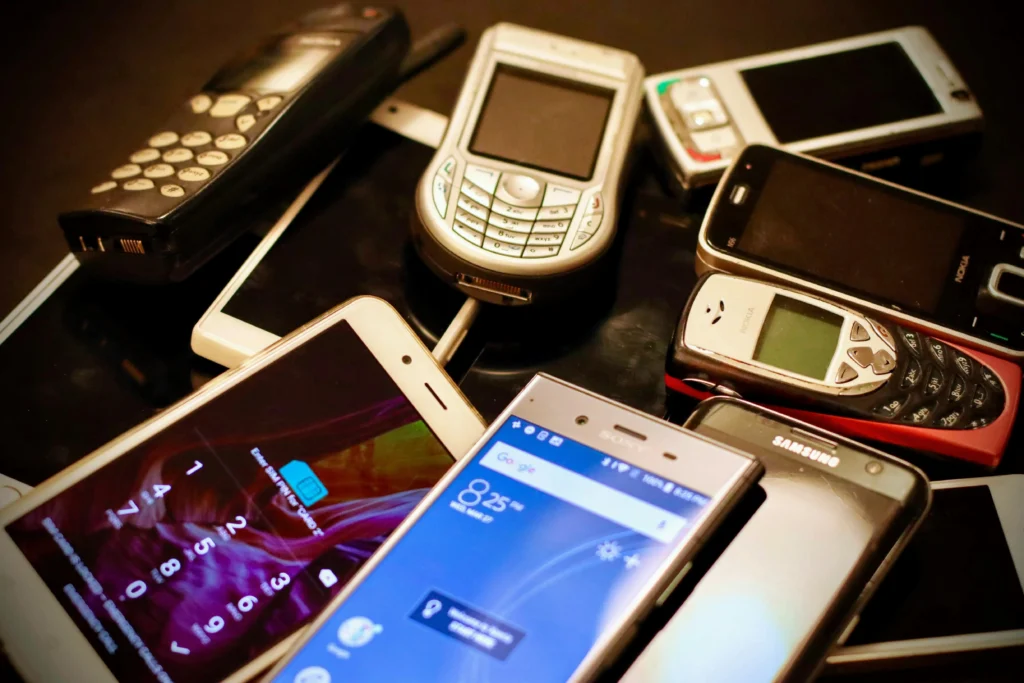
Excessive screen time and endless scrolling through social media apps have generated a collective mental fatigue that leads consumers to seek more functional devices.
Read more: My Social: how to check the People's Gas via mobile phone
Devices focused on mechanical buttons tend to prioritize essential communication tasks, reducing constant visual stimuli and making it easier to maintain full attention during the daily workday.
Adopt a cell phone with physical keyboard It acts as a natural barrier against digital procrastination, helping the user to use technology with genuine intention and responsibility.
The reduced reliance on gigantic screens also contributes to superior battery life, allowing the smartphone to remain powered on for days without frequent recharging.
What are the best physical keyboard alternatives available on the market?
The current industry offers everything from native devices designed for data security to smart cases that add mechanical keyboards to your smartphone via physical connection or Bluetooth.
Learn more: Qi2 wireless charging: compatible mobile phones
Modular accessories developed for popular premium phone lines allow you to transform a full-screen device into a complete mobile writing station in seconds.
Compatibility with updated operating systems ensures that the user enjoys the best of both worlds: modern applications and the time-honored typing ergonomics of the past.
To explore research on semiconductor technology and hardware for portable devices, access the repository of Institute of Electrical and Electronics Engineers.
Choosing the ideal solution depends on your daily needs, prioritizing the portability of accessories or the robust simplicity of a native device made exclusively for typing.
When is it worthwhile to switch to a device with mechanical buttons?

The transition is worthwhile if your main focus involves producing texts, managing professional messages, and seeking to use your smartphone consciously.
Read more: Cell phone battery malfunction: signs before replacement is necessary.
Users who work in the field or in environments subject to dust and humidity benefit from the durability of physical keys, which respond even with protective gloves.
Adjustments to the routine occur quickly, as motor memory reactivates the ability to type without looking at the buttons after just a few days of continuous use of the device.
To have a cell phone with physical keyboard It restores the pleasure of precise writing and transforms the way we interact with mobile technology in the saturated digital age.
The evolution of this format proves that technological innovation does not mean abandoning efficient solutions from the past, but rather integrating them intelligently into the modern lifestyle.
The perfect balance between nostalgia and modern efficiency.
The return of physical buttons to the mobile ecosystem represents a mature market response to the real needs for productivity, focus, and ergonomics of the most demanding consumers.
Combining high-resolution screens with customizable mechanical shortcuts delivers a fast, private, and highly functional user experience for those who write daily while on the go.
Assess your communication needs today, try out the alternatives with mechanical buttons, and discover how to elevate your mobile productivity to a new level of excellence.
FAQ (Frequently Asked Questions)
Does a physical keyboard reduce the screen's viewing area?
In the standard models the screen is slightly smaller, but in attachable accessories the entire screen is free, as the virtual keyboard does not need to be opened.
Is it possible to use keyboard shortcuts to open applications quickly?
Yes, most systems allow you to configure each physical key as a shortcut to open specific applications or perform quick actions with just one click.
How does typing symbols and accents work on a physical QWERTY keyboard?
Symbols and accents are easily inserted using combinations with dedicated function keys, ensuring fast and error-free typing in Portuguese.
Do mechanical keyboard accessories consume a lot of battery on a connected smartphone?
No, most modern attachable keyboards use direct, very low-power physical connections or optimized wireless connections that do not affect overall battery life.
