
How to find out which apps are using the most battery.
Advertisements
Learn to Discover which apps are consuming the most battery. It has become an indispensable technical skill to ensure that your smartphone maintains reliable battery life until the end of the workday.
In today's technological landscape, mobile devices feature extremely powerful processors and screens with high refresh rates, requiring rigorous software management.
When an app exhibits optimization flaws or continues running unnecessary routines in the background, the device's battery drains alarmingly.
Advertisements
Understanding the diagnostic tools built into the operating system protects the user from headaches, extending the lifespan of the chemical component without the need for formatting.
What causes silent background energy drain?
Excessive battery consumption rarely occurs when the user interacts directly with the application on the phone's main screen, as this usage is expected.
The real villain of autonomy goes by the name of background activity, where software continues running hidden processes even after being closed.
Email synchronization routines, constant satellite location updates, and the incessant sending of push notifications are among the activities that most severely strain hardware.
This continuous flow of data prevents the main processor from entering a thermal rest state, generating heat and silently draining milliampere-hours.
Mastering the native settings for Discover which apps are consuming the most battery. It allows us to interrupt these cycles of energy waste without harming the essential functions of the ecosystem.
Identifying the culprits helps to apply surgical behavioral restrictions, keeping the phone fast, cool, and operational for much longer throughout the day.
How to accurately track energy consumption on Android devices?
The operating system maintained by Google offers an extremely detailed statistical dashboard that meticulously accounts for the share of energy consumed by each tool installed on the device.
To access this data, the user must open the general system settings and navigate to the section explicitly dedicated to battery management.
Within this menu, the usage graph displays the behavior of the discharge curve since the last complete electrical recharge cycle at the outlet.
Below the image, a list organized in descending order reveals which programs demanded the most processor and screen resources in the last twenty-four hours.
To understand digital consumer rights, analyze national telecommunications regulations, and obtain official data on the technical compliance of devices approved in the country, the Website of the National Telecommunications Agency (gov.br/anatel) It acts as the main regulatory body in Brazil.
| Software Process Type | Hardware Component Enabled | Estimated Energy Impact | Recommended Technical Solution |
| Route Tracking | GPS/Satellite Module | Very High (Continuous Drain) | Change permission to "Only during use"“ |
| Media Synchronization | Wi-Fi Modem / Mobile Networks | High (Data Traffic) | Restrict automatic uploads to the outlet. |
| Games and Rendering | Graphics Processor (GPU) | Maximum (Heat Stress) | Reduce the screen frame rate and brightness. |
| Mass Notifications | Push/Alert Services | Moderate (Wakes up the CPU) | Disable alerts from secondary apps. |
What tools does the iOS ecosystem provide for auditing iPhone usage?
Apple adopts a highly intuitive visual approach to help users map the energy performance of their apps throughout the week.
By accessing the settings menu and selecting the battery option, the owner can view the component's health and physical activity graphs.
Read more: Solid-state battery: How this innovation can transform mobile devices
The iPhone dashboard divides the metrics between screen-on activity time and the time the app ran silently in the background.
This technical distinction is crucial for determining whether a music streaming program used its data fairly or if a social network malfunctioned.
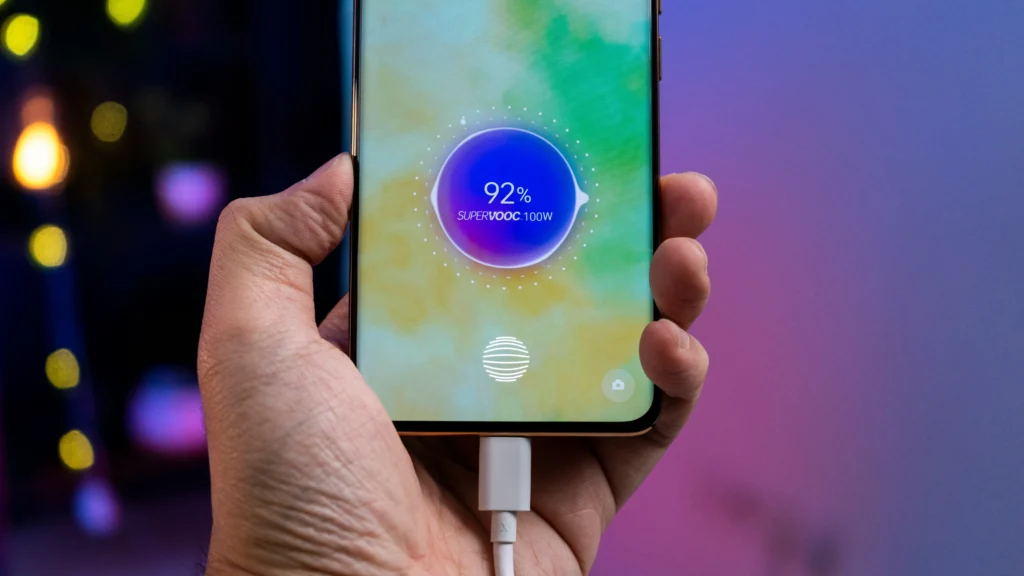
Monitoring these weekly reports helps to Discover which apps are consuming the most battery., allowing the user to disable background updates for those less important items.
This simple software maintenance preserves the lifespan of the lithium cell, postponing the need for physical hardware replacement.
Why do social media apps top the ranking for wasting battery power?
Social media and short video sharing platforms are developed with complex algorithms focused on keeping the user engaged for as long as possible.
To deliver smooth navigation, these tools pre-load large videos and high-resolution images into RAM.
Learn more: Do cell phones with silicon carbon batteries really last longer?
This behavior demands maximum effort from the smartphone's internet modems and graphics chips, increasing energy consumption even when the person is only scrolling quickly through the feed.
Additionally, the built-in media autoplay functions and integrated camera filters dramatically speed up the device's download rate.
To seek international guidelines on the development of efficient software, analyze global computer engineering standards, and read scientific articles on digital sustainability, the Institute of Electrical and Electronics Engineers (ieee.org) It offers a technical collection of worldwide academic prestige.
Regaining control of your smartphone's autonomy with practical actions.
The secret to keeping a smartphone away from the charger lies not in buying miraculous accessories, but in the conscious management of the installed software.
Read more: The main culprits that cause your battery to drain faster.
Spending a few minutes each month auditing your operating system's native telemetry dashboards prevents unpleasant surprises and optimizes your phone's overall performance.
Consult the tabulated hardware impacts in our process matrix, clean up abusive location permissions, and limit automatic background updates.
By adopting these preventative diagnostic routines, you'll enjoy a much more agile and secure device with plenty of battery power for when things matter.
Frequently Asked Questions about Battery Consumption by Apps
Does manually closing apps in the multitasking screen help save battery?
No, this is a common tech myth; closing apps forces the system to use more energy processing a complete software restart from scratch the next time it's opened.
Do apps that promise to save battery or clean RAM actually work?
Most of these external tools compromise autonomy because they run heavy ads in the background and conflict with the system's native ad managers.
Why does battery consumption increase drastically when I use 5G mobile networks?
5G technology requires more signal exchange with transmission antennas and operates at higher frequencies, demanding more hardware effort than Wi-Fi.
Does the native power saving mode harm smartphone performance?
Yes, the feature temporarily reduces processor speed, limits screen visual animations, and suspends background data updates to conserve power.
