
Automating tasks on your mobile phone with AI: a practical guide 2026
Advertisements
Automate tasks on your mobile phone with AI. It has become the ultimate strategy in 2026 for those who want to reclaim productive hours lost in repetitive processes and everyday digital bureaucracy.
Deep integration between operating systems and language models allows your device to anticipate needs, organize workflows, and execute complex commands autonomously.
Unlike the rigid automations of previous years, today's intelligence understands semantic context, learning from your habits to offer personalized and efficient solutions.
Advertisements
In this guide, we will explore the tools that dominate the market, how to set up smart routines, and essential data privacy precautions.
If you're looking to transform your smartphone into a true executive assistant, this content details the technical step-by-step process to achieve maximum mobile efficiency.
What is AI-based mobile automation and how does it work?
The ability to Automate tasks on your mobile phone with AI. It is based on action models that interpret the user interface as a human would. They don't just click buttons; they understand what's happening on the screen.
These systems use computer vision and natural language processing to read notifications, fill out forms, and move files between different applications without constant manual intervention. It's like having an invisible intern operating the system.
By 2026, smartphones will have dedicated neural processing units (NPUs), allowing these tasks to occur locally.
This ensures instant responses, lower battery consumption, and, crucially, keeps your data on the device.
There's something unsettling about seeing your cell phone responding to emails on its own, but this is often misinterpreted as a loss of control. In reality, it's a strategic delegation of bureaucratic tasks to prioritize human reasoning.
What are the top apps for automating tasks in 2026?
Native assistants like Google Gemini and Siri have evolved into system orchestrators. They can interact with third-party applications through granular accessibility permissions, executing flows that previously required dozens of taps.
Tools like IFTTT and Zapier Mobile now incorporate "AI agents" that automatically write connections.
You no longer need to understand programming logic; simply describe what you want to happen and the tool will create the bridge.
For enthusiasts of extreme customization, the Tasker It remains the technical benchmark. Its new AI modules interpret intentions behind geographic or time-based triggers, making automation much more fluid and less prone to errors.
Using these platforms allows you to create workflows where a photo of a receipt automatically generates an entry in your financial spreadsheet.
Simultaneously, the AI creates a due date reminder in your calendar, without you having to type a single digit.
Why migrate from conventional automation to predictive intelligence?
Traditional automation follows rigid rules such as "if this happens, do that." This model fails when the context changes even slightly, such as an unexpected traffic delay that invalidates a routine arrival at the office.
Predictive AI analyzes variables in real time. It can suggest postponing a meeting if it detects that you are still far from the original location due to a road accident, acting as a common-sense filter.
Read more: Autonomous artificial intelligence: a technology that will dominate in 2026.
Automate tasks on your mobile phone with AI. This means the system determines the priority of a contact based on the urgency of the text.
He differentiates between a "we need to talk now" message and a generic newsletter, acting according to real relevance.
Technology should work for humans, filtering out digital noise so we can focus on decisions that truly require creativity. Delegating the obvious is the only way to survive the information overload of 2026.
Traditional Automation vs. Predictive AI (2026)
| Feature | Classic Automation (Macros) | Automation with Predictive AI | Impact on Routine |
| Logic | Fixed rules (If/Then) | Context and semantics | Greater flexibility and accuracy |
| Settings | Manual and time-consuming. | Suggested by learning | Initial time savings |
| Interaction | Simulated taps and clicks | Deep API and agents | Invisible and fast execution |
| Error Handling | The process stalls if something changes. | Seek alternative paths. | Less routine maintenance. |
| Privacy | Simple local data | Processing by local NPUs | Robust security in 2026 |
How can you set up smart routines in your daily life?
The first step towards Automate tasks on your mobile phone with AI. It's about mapping the actions that you repeat exhaustively.
Start with the basics: summarizing morning news or organizing attachments that arrive via WhatsApp and email.
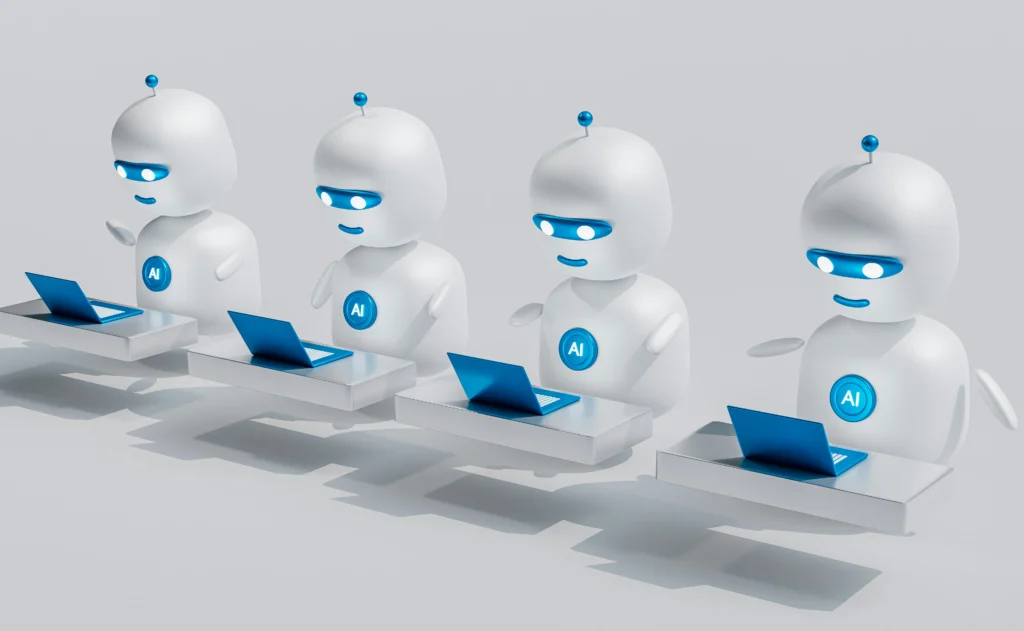
Configure the assistant to monitor keywords in incoming communications. By detecting terms like "project" or "invoice," the AI can create specific folders and extract key data into an executive summary that you can read later.
Read more: How to create a more productive digital routine using only free apps.
During peak hours, use AI to filter calls. It can allow only critical alerts to break through the block, automatically responding to other contacts with predicted return times based on your available schedule.
This configuration transforms the device into a protective barrier against distraction. The technology restores the silence necessary for deep work, something that has become a luxury in our hyper-connected age.
What is the impact of AI on notification and email management?
Managing emails in 2026 no longer requires you to open your inbox for constant manual sorting. AI already categorizes and drafts responses based on your tone of voice and history of previous decisions.
Upon receiving a meeting invitation, the system checks for scheduling conflicts and autonomously suggests alternative times. It only awaits your final confirmation before sealing the appointment and sending the access link.
Automate tasks on your mobile phone with AI. It removes the emotional burden of dealing with hundreds of irrelevant notifications.
The stress of "clearing the screen" disappears when the system learns what truly deserves your immediate attention.
It's fascinating how technical efficiency can translate into mental health. When we correctly configure the limits of our digital assistant, we stop reacting to our cell phones and start using them as a tool for expansion.
What ethical and safety precautions should be taken when using automation?
Entrusting sensitive tasks to AI requires a rigorous review of privacy policies. Always prioritize applications that offer local processing (On-Device AI), avoiding feeding your personal data into training models in external clouds.
Avoid granting full access to bank passwords or critical credentials without two-factor verification enabled. AI should act as a facilitator of queries, but never as the sole guardian of your financial keys.
Learn more: Adaptive cybersecurity in 2026: trends and how to protect yourself.
Security in 2026 has evolved, but social engineering is persistent. It attempts to exploit the convenience of automation to capture information through malicious voice commands or fake links that mimic system behavior.
Monitoring the activity logs of your automations is an essential hygiene practice. Periodically check what the AI has been running in the background to ensure the system isn't taking excessive liberties with your files.
When does automation stop being useful and become an obstacle?
Excessive automation can create a dangerous disconnect with important processes. This can lead to forgetting vital details in negotiations or, worse, in personal relationships that require that impossible-to-simulate "human touch.".
If AI starts responding to friends' messages with an overly formal or robotic tone, it's a sign that humanization has failed. At times like these, turning off autopilot is the only way to preserve authenticity.
Automate tasks on your mobile phone with AI. It should serve to free up time, not to make us completely dependent on an algorithm.
In situations where there is no signal or battery, you should still know how to manage your own digital life.
Finding the balance between algorithmic convenience and conscious human presence is the great challenge today.
Use technology to eliminate the boredom of repetition, but keep the essence of the interactions and decisions to yourself.
To understand global guidelines on artificial intelligence security and data protection on an international scale, the portal Electronic Frontier Foundation (EFF) It offers in-depth and critical analysis.
The journey to mastering your device in 2026 requires less technical effort and more strategic vision. By delegating repetitive tasks, you create space for innovation.
The mobile phone has ceased to be a consumer portal and has become a highly intelligent personal processing unit.
Adjust your filters, trust local processing, and feel the difference of a day orchestrated by the invisible efficiency of AI.
FAQ: Frequently asked questions about mobile automation with AI
Will automating your cell phone consume a lot of battery in 2026?
No, because modern processors have NPU cores dedicated to AI. These tasks are performed with much greater energy efficiency than the common software processes of previous years.
Do I need to know how to program to create complex routines?
Not at all. Most current tools use natural language; you simply describe what you want, by text or voice, and the AI transparently configures the automation logic.
What data does AI access to automate my tasks?
This depends on the permissions you grant. However, leading systems in 2026 prioritize temporary contextual access: the AI reads the information to perform the task and does not store the data permanently.
Is it safe to automate banking or payment applications?
Caution is advised. While it is possible to automate the reading of bank statements, financial transactions generally require a mandatory layer of human biometrics for security and banking compliance reasons.
How do I disable all automations in case of an error?
All current operating systems have a "panic button" in the privacy settings. With one tap, you can instantly suspend all permissions for AI agents and automated routines.
