
How to Transfer Data from One Cell Phone to Another Safely
Advertisements
Transfer Data from One Cell Phone to Another Securely!
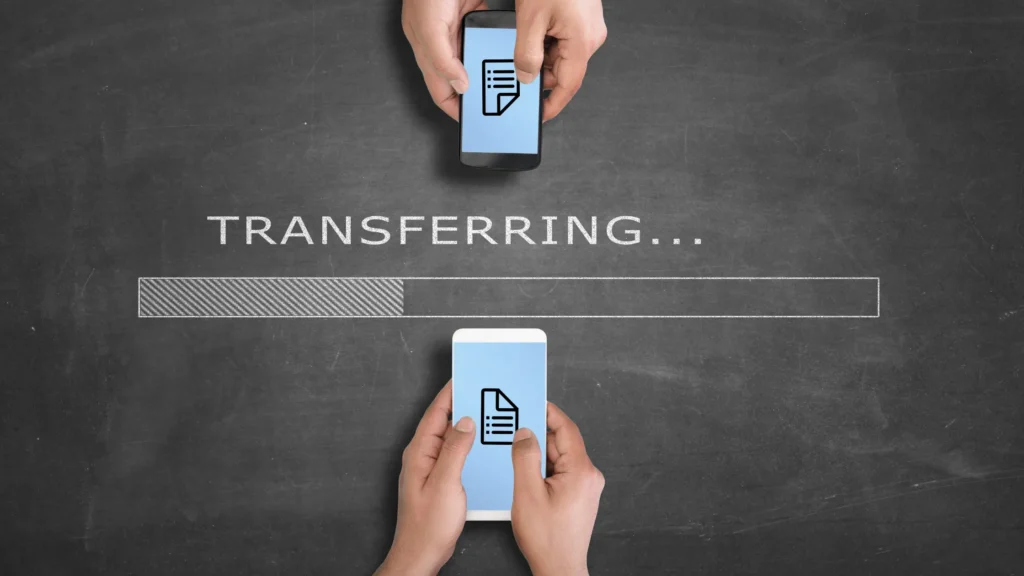
Changing phones is an exciting experience, but it also comes with the responsibility of ensuring that your personal data, photos, contacts, messages, and files reach your new device without any problems.
After all, who has never felt that chill down their spine when thinking about the possibility of losing memories or important information?
Transferring data securely from one phone to another requires planning, reliable tools, and attention to detail.
Continue reading and find out everything about it:
Transfer Data from One Cell Phone to Another Securely

With the growing reliance on smartphones, data transfer security has never been more crucial.
Advertisements
According to a 2023 Statista survey, 68% of smartphone users have faced issues related to data loss when switching devices.
This data reinforces the importance of adopting reliable methods and avoiding risky shortcuts.
Therefore, when planning your migration, it's essential to understand the available options, from native solutions to third-party tools, ensuring that every byte reaches its destination without compromising its security.
Think of data transfer like moving house: you wouldn't throw your belongings into a box carelessly, right?
Likewise, moving your data requires organization, protection, and smart choices.
In this article, we'll explore the best methods for transferring data from one phone to another, focusing on security, convenience, and efficiency.
++ WhatsApp Phishing: How Does It Work and Why Is It So Effective?
Additionally, we'll include practical examples, a powerful statistic, and answers to common questions, all structured to make your journey easier.
Why is Security Critical When Transferring Data?

Transferring data between cell phones is not only a matter of convenience, but also of protection.
Personal data, such as messages, photos, and banking information, are constant targets of hackers and malware.
Therefore, when transferring data from one cell phone for another, it is vital to ensure that the process is shielded from violations.
Unsafe methods, such as using questionable apps or public Wi-Fi connections, can expose your information to unnecessary risk.
Furthermore, security goes beyond protection from third parties.
Human errors, such as accidentally deleting files or failing to verify the integrity of transferred data, can result in irreparable losses.
Therefore, it is recommended to use official tools, such as Google Backup or iCloud, which offer end-to-end encryption.
These solutions, while simple, are designed to minimize risk and ensure your data arrives intact on your new device.
Furthermore, another aspect to consider is privacy during the process.
For example, when using USB cables or third-party applications, it is crucial to verify that data is not being stored on external servers without your consent.
So, when planning your transfer, prioritize methods that give you full control over your files and avoid solutions that seem “too good to be true.”
Security, after all, is the foundation of a successful transition.
Reliable Methods to Transfer Data from One Phone to Another

1. Cloud Backup: Simplicity with Security
Transferring data via cloud services like Google Drive, iCloud, or Samsung Cloud is one of the most popular and secure ways to move data between devices.
These services use advanced encryption, ensuring that your information is protected during the process.
++ How to Create Videos with Automatic Subtitles in 1 Click Using a Free App
Additionally, the cloud allows you to transfer data without the need for cables or physical connections, which reduces the risks associated with compromised devices.
For example, imagine that Anna wants to transfer her photos and contacts from an old iPhone to a new one.
She turns on iCloud backup, selects the data she wants (photos, contacts, notes), and within minutes, restores everything to the new device.
This method is ideal because, in addition to being secure, it is accessible even on slow Wi-Fi networks, as long as the connection is stable.
However, it's important to check that you have enough cloud storage and that your account password is secure.
| Service | Advantages | Limitations |
|---|---|---|
| iCloud | End-to-end encryption, iOS integration | 5 GB limit on free plan |
| Google Drive | Compatible with Android and iOS, 15 GB free | Requires stable connection |
| Samsung Cloud | Optimized for Samsung devices | Less flexible for other brands |
2. USB Cable Transfer: Total Control
For those who prefer to avoid the cloud, transferring via USB cable is a practical and safe alternative.
This method is ideal for large amounts of data, such as videos or large files, as it doesn't depend on internet speed.
Additionally, by using a cable, you eliminate the risk of data interception on public Wi-Fi networks.
Consider the case of John, who needed to transfer 50 GB of videos from his old Android to a new one.
He connected both devices to a computer, used software like Samsung Smart Switch, and transferred everything in less than an hour.
The key here is to use genuine cables and reliable software, avoiding generic tools that may contain malware.
However, this method requires a computer as an intermediary, which may be inconvenient for some.
| Method | Advantages | Limitations |
|---|---|---|
| USB cable | Fast, does not depend on the internet | Requires computer and reliable software |
| Smart Switch | Easy to use, supports multiple formats | Limited to compatible devices |
| Manual Transfer | Total control over files | More time-consuming and error-prone |
3. Direct Transfer Applications: Speed and Convenience
Apps like Shareit, Xender, or Nearby Share allow you to transfer data directly between two phones via Wi-Fi Direct or Bluetooth.
These methods are quick and don't require an internet connection, but it's crucial to choose reliable apps to avoid security risks.
Additionally, the physical proximity of the devices ensures a stable and private connection.
For example, Maria used Nearby Share to transfer her music and documents from one Android to another in just a few minutes.
She activated the feature, selected the files, and confirmed the transfer with a temporary password, ensuring that only the receiving device had access.
However, it is crucial to disable Wi-Fi Direct after use to avoid unwanted connections.
| Application | Advantages | Limitations |
|---|---|---|
| Nearby Share | Native to Android, fast and secure | Less intuitive on iOS |
| Shareit | Supports multiple formats, high speed | May contain advertisements |
| Xender | User-friendly, cross-platform interface | Requires broad permissions |
Tips for Protecting Your Data During Transfer
Before starting any transfer, it is essential to prepare both devices.
First, make a full backup of the data on your old phone, either to the cloud or to an external device.
In short, this ensures that in the event of a failure, you will not lose important information.
Also, make sure your new phone is updated with the latest security patches to avoid vulnerabilities.
Furthermore, another crucial point is to avoid public Wi-Fi networks during the transfer. These networks are easy targets for hackers, who can intercept data in transit.
Instead, use a private network or opt for offline methods like USB cables.
Additionally, when using third-party apps, be sure to read the permissions requested and be wary of tools that require unnecessary access to your contacts or messages.
Finally, after the transfer, verify that all data has been migrated correctly.
Open files, check contacts, and test apps to make sure nothing has been corrupted.
If you notice discrepancies, refer to your backup to restore the missing data.
Protecting your data is like building a fortress: each layer of care reinforces security.
Frequently Asked Questions About Data Transfer
| Question | Response |
|---|---|
| Can I transfer data without internet? | Yes, methods like USB cable or Wi-Fi Direct (via apps like Nearby Share) do not require internet. |
| Is my data saved in the cloud after the transfer? | It depends on the service. On iCloud and Google Drive, data remains until you manually delete it. |
| Is it safe to use third-party apps? | Only use apps from trusted sources, such as Google Play or the App Store. Avoid unknown apps. |
| How long does it take to transfer data? | It depends on the volume. For example, 10 GB can take anywhere from 5 to 30 minutes, depending on the method. |
| What to do if the transfer fails? | Check your connection, restart your devices, and try again. Consult your backup if necessary. |
Conclusion: Transfer Smartly and Safely
Transferring data from one cell phone to another is more than a technical task; it's a process that requires care, planning, and reliable tools.
Whether using the cloud, USB cables, or direct transfer apps, security should be a priority.
With the strategies presented, you can move your memories and information with confidence, knowing that your data is protected.
Remember the moving house analogy: every file is a valuable possession that deserves care.
By following best practices like using encryption, verifying data integrity, and avoiding insecure networks, you can ensure a smooth transition.
So why risk your most precious memories?
Plan, choose the right method, and transfer smartly.
With the right tools and a little care, transferring data from one phone to another becomes a simple and safe task.
Now that you know the best methods, you're ready to take the next step.
What will you choose to protect your data when you next change your cell phone?
