
External hard drive or portable SSD: which one protects your files better?
Advertisements
Choose between External hard drive or portable SSD This is a crucial decision for anyone who needs to protect photos, work documents, video projects, and operating system backups from accidental loss.
The security of stored data fundamentally depends on the physical architecture of the storage device, the frequency of daily transport, and the component's resistance to severe mechanical impacts.
Traditional magnetic drives offer high cost-effectiveness for large volumes of information, while next-generation solid-state memories guarantee higher read speeds and extreme durability in mobile environments.
We will analyze the internal mechanics of these technologies, their behavior in the event of outages, transfer speeds, and the best strategy for securely preserving your important digital files.
What differentiates the internal architecture of an HDD and an SSD?
External hard drives utilize moving mechanical components, including rotating magnetic platters and movable read/write heads that float fractions of a millimeter above the recorded surface to access files.
Portable solid-state drives eliminate mechanical parts, utilizing interconnected NAND flash memory chips that save data electrically via semiconductor transistors without any internal physical movement.
Advertisements
Any physical impact during the operation of a hard drive can cause contact between the read head and the platter, resulting in irreversible damage to the storage sector.
Determining the best option between External hard drive or portable SSD It requires understanding that the solid component withstands drops and vibrations without risking the mechanical integrity of the recorded information.
How do impact and durability affect data security?
The absence of moving mechanical parts gives the solid-state drive unparalleled resistance against accidental drops, constant vibrations in backpacks, and impacts during daily transport.
Modern solid-body outdoor models feature rubberized coatings and IP65 industrial certifications, offering extra protection against water splashes, dust, and temperature variations during daily use.
Mechanical hard drives suffer from wear and tear on their moving parts over time, making them more vulnerable to failure due to continuous vibration while connected to the computer.
Cases of internal motor degradation or mechanical needle jamming make recovering files from magnetic disks a complex and financially expensive task for the user.
Technical Comparison of Data Protection and Performance
| Evaluation Criteria | External Hard Drive (HDD) | Solid State Drive (SSD) | Practical Impact on File Protection |
| Drop resistance | Low (Sensitive to physical shocks) | Extremely high (Tolerates impacts of up to 2 meters) | Prevents data loss due to accidents and transportation. |
| Reading Speed | Average of 100 to 140 MB/s | Average speed of 550 to 2000 MB/s | It speeds up full backups and file transfers. |
| Cost per Gigabyte | Low (Ideal for high volumes) | Moderate to High (Investment for speed) | Enables bulk storage with a smaller budget. |
| Mechanical Service Life | Subject to wear and tear of moving parts. | No mechanical wear (Limited by TBW) | Eliminates sudden needle jamming failures. |
Why does transfer speed influence backup security?
High read and write speeds dramatically reduce the time required to clone entire hard drives or transfer large folders containing thousands of raw images.
Transferring a 100-gigabyte volume takes approximately 15 minutes on a standard hard drive, while a modern solid-state drive completes the same task in two minutes.
Read more: Smartphones with anti-glare screens and sunlight reading capabilities: which ones actually work?
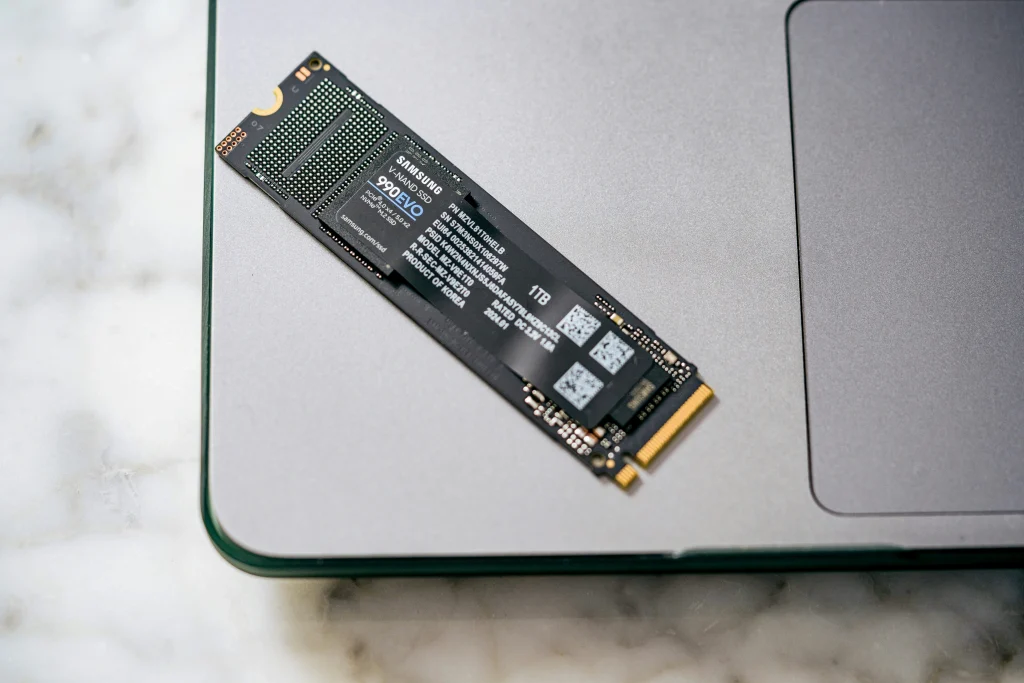
The slowness of the copying process causes many users to postpone essential backup routines, increasing the risk of data loss due to simple negligence or lack of time.
To learn about international technical specifications regarding USB connection buses, speed standards, and hardware interoperability, visit the official consortium website. USB Implementers Forum.
When should you choose each device to protect your information?
Hard drives remain unbeatable for long-term static archiving kept on a desk, where raw terabyte capacity matters more than access speed.
Solid-state drives are indispensable for professionals on the go, photographers, video editors, and students who carry valuable files in backpacks to work every day.
Learn more: Cell phones with 200MP cameras: the real difference in photos
Combining the two technologies in a dual redundancy strategy ensures the highest possible safety against operational losses, electrical failures, or accidental physical damage.
Deciding between External hard drive or portable SSD It involves aligning your available budget with your usage routine, prioritizing mechanical stability whenever mobility is a constant factor.
How can you create an efficient redundancy routine to avoid losses?
Storing important data in a single physical location represents an unnecessary risk, regardless of the storage technology chosen to house your documents or professional projects.
The three-two-one backup rule recommends keeping three copies of your files on two different media, with at least one copy stored off-site or in an encrypted cloud.
Read more: Thunderbolt 5: Which devices already support the technology?
Encrypting your portable devices via software prevents third parties from accessing your private information in cases of loss, theft, or robbery of the device while traveling in urban areas.
To review international guidelines on information security, cryptography, and data protection on electronic devices, consult the technical documentation of [reference to relevant authority/organization]. IEEE Computer Society.
FAQ – Frequently Asked Questions
Can a portable SSD lose data if it's left unused for a long time?
Only if it remains unconnected to power for consecutive years, as NAND cells require occasional electrical charging to maintain the integrity of the retained data.
Do mechanical hard drives last longer in static storage?
Yes, for storing files that remain stationary in drawers without being moved, the magnetic platters of hard drives preserve the data load for long periods without needing power.
Is it worth using an SSD as a working drive and an HDD for backups?
Yes, this is the most efficient combination, guaranteeing maximum speed during daily editing on the solid-state drive and low cost per gigabyte on secondary hard drive storage.
Assess the dilemma between External hard drive or portable SSD It requires prioritizing mobility and physical resilience. Invest in the right technology and keep your backups always up to date.
