
Apps for securely storing passwords
Advertisements
Search apps for securely storing passwords It has become an indispensable priority for anyone wishing to protect bank accounts, corporate emails, and social media from cyber leaks.
Centralizing login credentials on encrypted platforms eliminates the habit of repeating simple combinations, ensuring robust protection and convenience for daily browsing on computers and mobile phones.
What are credential managers and how do they work?
Password managers are virtual vaults designed to encrypt, store, and automatically fill in login credentials for websites and applications quickly and securely.
Instead of memorizing dozens of complex codes, the user only needs to remember one main master key, which unlocks the safe protected by advanced algorithms.
Advertisements
The architecture of these tools uses a zero-knowledge model, ensuring that not even the software developers themselves can view the data stored by the client.
Adopt apps for securely storing passwords It strengthens your digital presence, as the system generates unique random combinations for each service without requiring mental effort.
These platforms also instantly synchronize your data across multiple devices, allowing you to easily access your accounts on both your smartphone and computer.
How does zero-knowledge encryption guarantee the privacy of your data?
Zero-knowledge technology encrypts all your information locally on the device before sending it to the cloud-based servers of the responsible company.
Only your master key has the ability to decode these data packets, ensuring that attackers only encounter undeniable codes should a server breach occur.
The table below compares the leading tools on the market in 2026, highlighting their encryption models, authentication features, and development code type:
| Password Manager | Cryptography Algorithm | Two-Factor Authentication (2FA) | Code Template |
| Bitwarden | AES-256 / ChaCha20 | Extensive support (Biometrics / Physical Keys) | Open Source (Open Source) |
| 1Password | AES-256 + Secret Key | Advanced support + Passkey keys | Closed Source (Audited) |
| Dashlane | AES-256 bit | Biometrics and mobile authenticators | Closed Source (Audited) |
| Proton Pass | AES-256-GCM | Integration with encrypted ecosystem | Open Source (Open Source) |
Analyzing these technical parameters helps in choosing the ideal solution for your needs, balancing code transparency, rigorous security, and ease of daily use.
Why migrate from notebooks and spreadsheets to encrypted platforms?
Writing down credentials in mobile phone notepads or on physical paper exposes your accounts to theft, accidental loss, and unauthorized viewing by third parties.
Spreadsheets without cybersecurity protection become easy targets for malicious software that scans hard drives looking for words like "password," "login," or "credit card.".
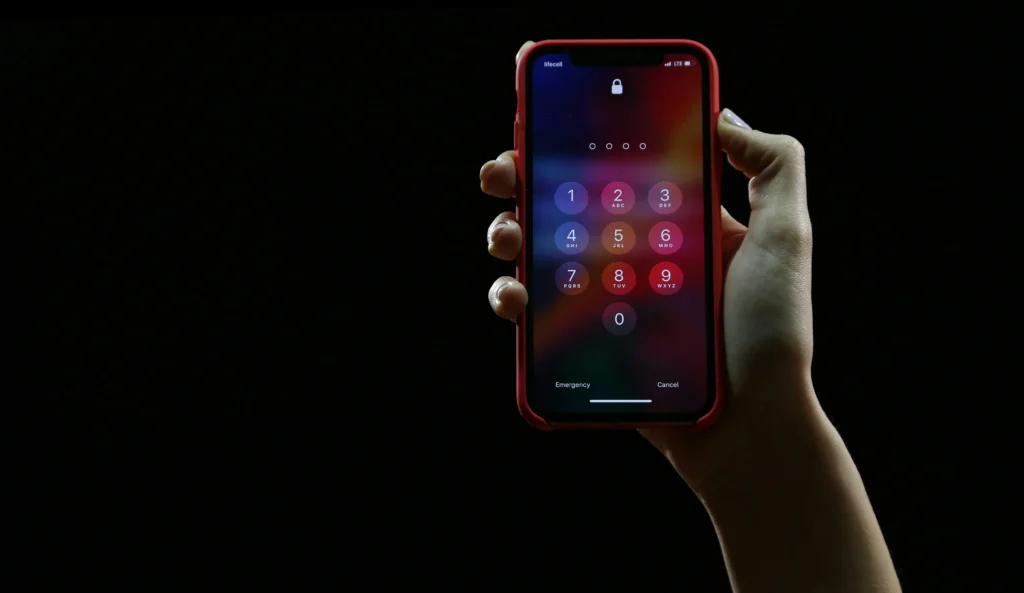
To consult official guidelines on cybersecurity, fraud prevention, and digital security best practices, visit the portal of Federal Government.
Read more: Passkeys replace passwords: how the new technology works
Use apps for securely storing passwords It avoids these structural risks because your data receives biometric protection and active monitoring against leaks on the internet.
Furthermore, modern password managers immediately alert you if any of your old passwords are exposed in public leaks from large technology companies.
When should you use Passkey access keys instead of traditional passwords?
Passkey technology represents the future of digital authentication, replacing typed text with cryptographic credentials linked directly to your device's biometric sensor.
By using this innovation, the website authenticates your login through facial recognition or fingerprint scanning, eliminating any possibility of phishing or code theft.
Learn more: Careful consideration when choosing passwords and using two-factor authentication in important apps.
The most advanced managers on the market already offer full support for storing and synchronizing your Passkey keys across Android, iOS, Windows, and macOS systems.
Setting up this extra layer of protection simplifies your online routine, eliminating manual data entry and ensuring the highest level of security available in the industry.
Gradually migrating your accounts to the Passkey format strengthens your online identity, protecting your access against sophisticated social engineering and spoofing attacks.
Where can I find technical support and audits to validate a tool?
Evaluating independent technical audit reports is the most reliable step to confirm whether the chosen application fulfills all its privacy and protection promises.
Reputable companies hire external auditors periodically and publish the results publicly to demonstrate complete transparency regarding the architecture of their source code.
Read more: Drawing apps: the best options for you to try!

To research international cybersecurity guidelines, encryption standards, and global technical recommendations, visit [website address]. National Institute of Standards and Technology (NIST).
Consulting official documentation ensures that you choose software backed by the technical community, preventing the use of dubious applications available in app stores.
Investing a few minutes in this initial verification ensures long-term peace of mind, protecting your financial assets and your private life in the digital environment.
Strengthen your digital security with modern management tools in 2026.
Adopting a proactive stance in managing your credentials is the most efficient way to navigate the internet without the constant fear of hacking or data theft.
Count on apps for securely storing passwords It ensures quick access to your daily services, as well as protecting your personal information against cyber threats.
Choose the tool that best suits your needs, create your strong master password, and transform your digital experience into a truly secure environment.
FAQ (Frequently Asked Questions)
What happens if I forget my master password for my administrator?
Due to zero-knowledge encryption, most companies do not have access to your master password. To recover the vault, you must use your emergency key, which was printed during account creation.
Do digital management apps work when the phone is offline?
Yes. The encrypted database is saved locally on your device, allowing you to view and enter your passwords even without an internet connection.
Is it safe to save passwords using browser autofill?
Although convenient, web browsers store credentials with fewer layers of protection than dedicated credentials managers, making them more vulnerable to malicious software focused on extracting system data.
How does two-factor authentication (2FA) enhance vault security?
The 2FA feature requires a second confirmation in addition to the master password, such as a temporary code or physical key, preventing intruders from accessing your safe even if they discover your main password.
